NextGen: a web UI proof of concept for industrial recorders
During my work at Eurotherm / Schneider Electric, I developed an initial proof of concept (POC) for the user interface of a new generation of industrial data recorders.
The aim was to check whether a traditional embedded interface could be replaced by a web application, without losing the speed and responsiveness expected from an industrial instrument. The POC was not intended to be the finished NextGen product. Its purpose was to test some of the most demanding parts of the interface and provide a technical base for further development by the team.
An early version of the interface, running in a browser and shown here in a tablet-sized viewport.
The requirements
Industrial recorders acquire measurements continuously. Their interfaces must display live values, show trends, allow the operator to inspect past data and provide access to instrument configuration.
Moving these functions to a browser was attractive for several reasons. The same interface could run on the device display and on other screens, while much of the presentation logic could be shared.
However, a web interface also introduces a few questions:
- Can a chart scroll smoothly while receiving new measurements?
- Can the operator move through historical data using touch gestures, without waiting for the entire chart to be redrawn?
- Can a configuration interface be built from data supplied by the instrument instead of hardcoding every page?
- How does the application perform on an embedded board, rather than a fast desktop PC?
Client/server architecture
The first implementation was a browser application written in JavaScript, HTML and CSS. It used Framework7 for navigation and common interface elements, with jQuery and a small number of supporting libraries.
The important part was the separation between the user interface, the communication layer and the chart rendering engine. The chart engine did not depend on the UI framework.
For development, a small Node.js server simulated an industrial recorder. It produced test measurements for a configurable number of channels and sent them to the browser using WebSocket messages encoded as JSON.
   Industrial recorder / demo server
         Measurements and history
                    |
             WebSocket / JSON
                    |
                Web client
                    |
          +---------+---------+
          |         |         |
       Live view  History  Configuration
          |         |
          +---- HTML5 Canvas
This setup made it possible to develop and test the interface without requiring a complete recorder firmware and backend to be available at every stage.
The intended embedded target was an i.MX8 system running Chromium. Some later concept demonstrations also considered a Raspberry Pi with a touchscreen and a local Node.js backend. These were development and evaluation configurations.
Interface
The prototype included a dashboard with several types of widgets: numeric values, charts and status information. The operator could open a widget to see more details, switch between channels and access configuration screens.
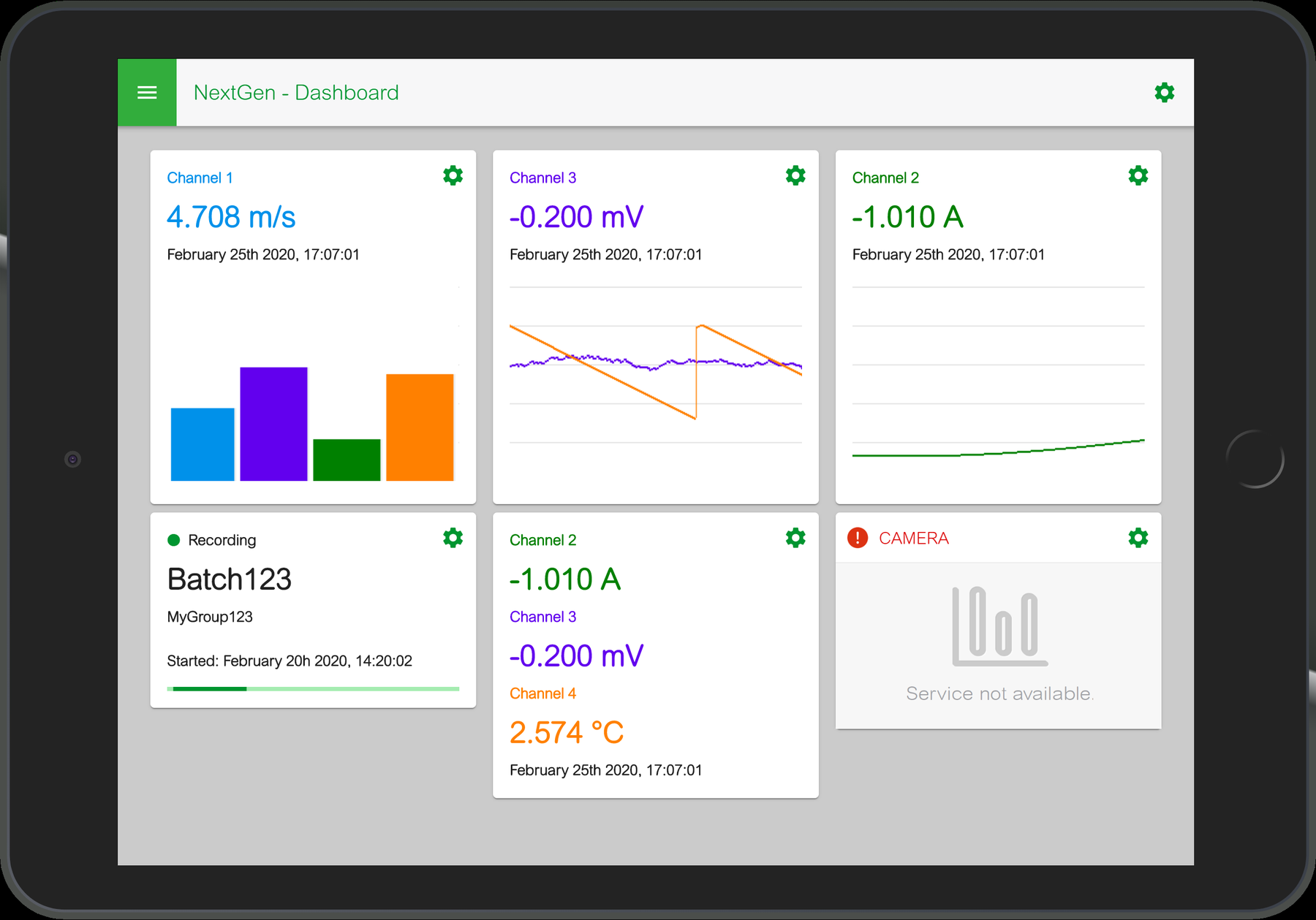
The dashboard combines current measurements, small trend charts and status widgets.
Navigation was designed for both mouse and touch input. Swipes and taps were useful for moving between pages and channels, while pinch gestures were needed for historical chart navigation.
Rendering live trends
The live trend was the most demanding part of the first prototype.
A simple solution would redraw the full chart every time a new measurement arrived. This works with small graphs, but it becomes expensive as the canvas grows and more channels are displayed.
I evaluated different rendering approaches, including SVG, WebGL and HTML5 Canvas. For this particular task, HTML5 Canvas provided a practical solution.
The key optimization was to avoid redrawing the entire picture. When the trend moves to the left, the existing image can be shifted by one pixel. Only the new rightmost column needs to be drawn, including the new measurements and any grid or time markers.
   Existing chart                     Next frame
  +------------------+               +------------------+
  |~~~~~~~~~~~~~~~   |   shift left  |~~~~~~~~~~~~~~   |N|
  |__----______---   |  ---------->  |__----______--   |E|
  +------------------+               +------------------+W+
                                                        ^
                                             draw new column
The basic operation can be described with a few lines of JavaScript:
// Simplified example of the rendering approach
ctx.drawImage(previousFrame, -1, 0);
ctx.clearRect(width - 1, 0, 1, height);
drawNewSamples(width - 1);
In the POC, the rendering loop also handled channel scaling, divisions, timestamps and incoming data.
The technical report records tests on the i.MX8 board showing smooth 60 FPS scrolling on a 1000 × 500 canvas with more than 50 channels. This was a useful feasibility result for the prototype, not a performance guarantee for every browser and hardware configuration.
Browsing historical data
The historical view introduced a different problem. When the operator scrolls back in time, the amount of data can be much larger than what fits on the screen.
Rendering the whole history in one pass was not a reasonable approach. Instead, the chart was divided into tiles, each covering a portion of the time range. A circular buffer kept a limited number of tiles available around the current viewport.
Each tile followed a simple state sequence:
EMPTY -> INPROGRESS -> DRAWING -> LOADEDWhen the user moved towards an area that had not been loaded yet, the application requested the corresponding historical data, rendered the tile and put it into the buffer. Tiles that were too far from the visible area could be discarded and reused.
The result was similar in principle to scrolling on a map: content near the viewport is prepared first, while more distant content is loaded only when needed.
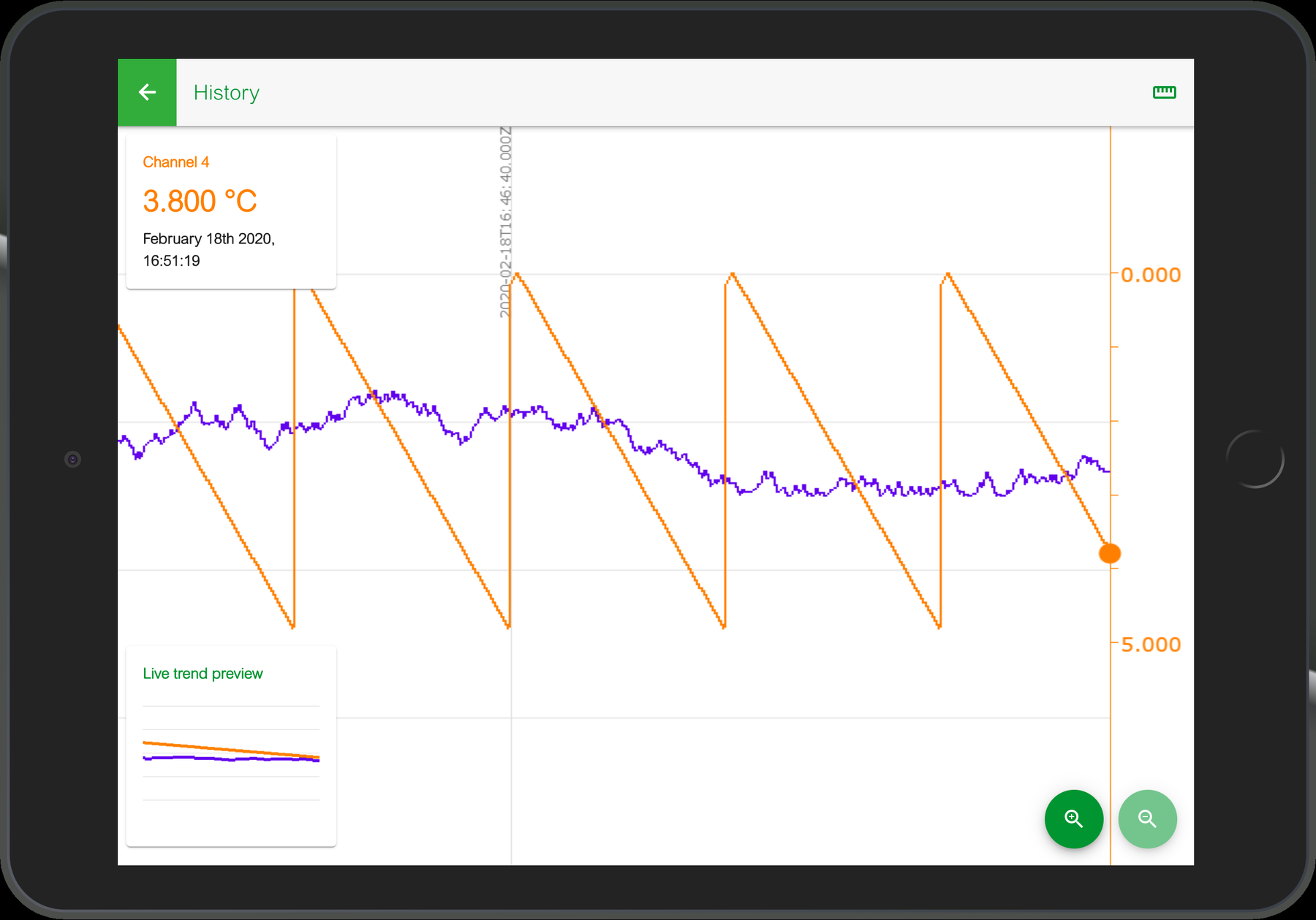
The historical trend supports horizontal navigation and zooming, with a live-trend preview visible in the corner.
This was also a good use case for Web Workers and off-screen rendering where supported by the browser. Expensive drawing operations could be moved away from the main UI thread, helping the application remain responsive to touch input.
Configuration pages generated from data
Not every part of an industrial interface is a chart. A significant part consists of configuration pages: text fields, numeric settings, options and switches.
The POC explored a way to describe these controls with JavaScript objects and build the page dynamically. Each control had an ID, a type, a label and optional validation rules.
For example, the description of a setting could contain fields such as:
{
    id: "instrument-name",
    type: "TEXTFIELD",
    name: "Instrument Name",
    placeholder: "My Recorder"
}
This is an illustrative example of the format used in the prototype.
A second part of the code managed dependencies between settings. Changing a value could enable or disable another control, hide an option or update its valid range. The configuration page therefore had both a layout description and a current state.
In the POC these definitions were stored locally. The intended design allowed the instrument backend to supply them later.
Further frontend experiments
The initial POC used Framework7 and a largely independent Canvas chart engine. Later experiments also involved Angular, particularly to study the cost of framework updates on low-power hardware.
Angular makes application state management convenient, but frequent change detection can become expensive when a chart is updating many times per second. The experiments considered two documented techniques:
- OnPush, to reduce unnecessary checks for components whose inputs had not changed;
- runOutsideAngular, to keep high-frequency chart drawing outside Angular's normal change detection cycle.
The aim was not to replace Canvas with Angular rendering. It was to use a framework for the application structure while keeping the drawing loop independent from it.
Testing on embedded hardware
A browser application that runs well on a laptop is not necessarily suitable for an embedded recorder. For this reason, performance was evaluated on an i.MX8 board as well as on a PC.
The test procedure included measurements of:
- frame rate during chart animation;
- CPU and GPU usage;
- memory footprint;
- number of channels and data update frequency;
- different chart sizes and multiple charts on screen.
A configurable Node.js simulator made the tests repeatable. For example, the server could be started with a selected channel count and update rate:
node server.js 5 10 8080In this example, the simulator serves five channels at 10 Hz on port 8080. The web application then connects to the server and displays the incoming measurements.
The objective of these tests was to find practical limits early, while changes to the architecture were still inexpensive.